How to build a 12-month Pinterest content calendar from Pinterest Trends
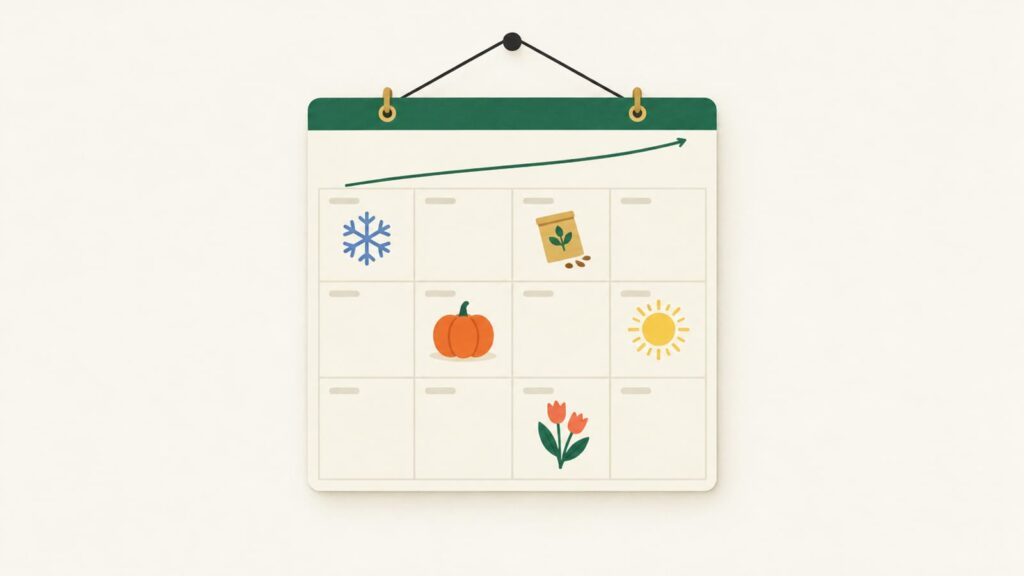
Build your Pinterest content calendar from Pinterest Trends. Look up each topic over a full year, note the month it peaks, and count back to set when its pins should go live. Write those seasonal slots into a month-by-month plan, then fill every gap with evergreen topics whose lines stay flat all year.
This post builds on a video by Katie Grazer, 3 Pinterest SEO Hacks to Rank #1 on Pinterest!, where she shows how she uses Pinterest Trends to decide when to publish. We have added a step-by-step method, a sample calendar for several niches and a few corrections to the timing advice, plus a tip on the Trends search from Money With Mak.
Why build a calendar from search data?
Most content calendars are built from dates: Christmas in December, Halloween in October. On Pinterest that is too late. People plan ahead, so searches for a season rise and peak weeks before the day, and a pin needs time to be picked up and shown widely before it can catch that peak.
Katie puts it well: Pinterest SEO is “more like planting a seed” than going viral overnight. A calendar built from Pinterest Trends tells you when to plant. Instead of guessing when people start searching for spring wreaths or budget planners, you look it up, and you plan the whole year around what the data shows rather than around what you remember.
The second benefit is that a calendar never runs dry. Once every month has both seasonal slots and evergreen fillers, you always know what to make next.
How do you read a topic in Pinterest Trends?
Pinterest Trends is free at trends.pinterest.com. It covers a set of supported countries only, so choose the one where most of your readers live. The layout changes from time to time, but the steps stay roughly the same:
- Open the search. As Money With Mak points out in her video, many people only look at Pinterest’s trend reports and miss the search option, where you can type in your own keywords.
- Search a topic. Use the words your readers would type, such as skin care routine, garden planning or christmas gifts for dad.
- Switch to a one-year view. You want to see the whole cycle, not just the last few weeks.
- Note three things. The month it peaks, the month the climb starts and whether there is a second peak.
- Filter by interest. Choosing your category, such as beauty, home or food, narrows the related terms to ones that fit your niche.
- Compare with last year. If the peak lands in the same month two years running, you can plan around it with confidence.
When Katie searched skin care routine in her video, she saw peaks in January and July. That is what she saw for her market at that time. Your country, your exact phrase and the year you look can all give a different shape, so always check your own terms rather than borrowing someone else’s peak months.
How far before the peak should pins go live?
Katie’s key point is that publishing at the peak is too late. How far ahead to go is less certain, because Pinterest has not published an official lead time, and the right gap depends on how long people plan for the topic.
Our seasonal planning lesson uses a labelled rule of thumb instead: have seasonal pins live about 45 days ahead, and two to three months ahead for things people plan for longer, such as Christmas, weddings, back to school and big trips. In practice, for your calendar:
- Count back 45 to 90 days from the peak to find the month your pins should start going live.
- Check that this lands before the climb starts. If the line starts rising earlier than your count suggests, go with the earlier date.
- Count back a few more weeks to find when you need to write the page and make the pins.
Once the pins are live, spread them out over the run-up at your normal publishing pace. A pile of seasonal pins published in one day does not get them seen sooner.
What are evergreen fillers?
Some topics barely move on the one-year chart. The line stays roughly flat from January to December because people need them all the time. Katie’s example was makeup routine. Others might be easy weeknight dinners, small bathroom storage, monthly budget template, carry-on packing list or beginner crochet patterns.
These are your fillers. Seasonal topics give you strong but short bursts; evergreen topics give you a steady base that keeps working when nothing is in season. Katie fills any gaps in her calendar with them, and it is a simple habit worth copying: after placing your seasonal slots, look for thin months and add evergreen pages there.
Flat does not mean small. A flat line can belong to a very popular term. It only means the timing does not matter, so you can publish those pins whenever there is room.
What if Trends shows nothing for your keyword?
Pinterest Trends mostly shows broader terms. Katie tried the narrower phrase natural skincare routine and got nothing back, even though people clearly search for it. A blank result does not mean nobody searches a phrase. It usually means the phrase is too small to appear.
When that happens:
- Check the Pinterest search bar. Type the start of the phrase and look at the suggestions. If Pinterest offers it, people search it.
- Use the broader term for timing. Skin care routine can tell you when interest in the whole topic rises, even if the narrower phrase has no chart.
- Keep the narrow phrase for your pins. Specific phrases are often the ones your page answers best.
Our Pinterest keyword research lesson covers the search bar, related terms and how to choose one main keyword per pin.
What does a 12-month calendar look like?
Here is a sample that mixes niches. The middle column shows seasonal pins that start going live that month and the peak they are aimed at. The last column shows evergreen fillers for the same month. Dates vary by country and hemisphere, and some holidays move, so check each term in Trends before copying a row.
| Month | Seasonal pins going live | Evergreen fillers |
|---|---|---|
| January | Valentine’s gifts and dinner ideas (February); garden planning (spring) | Weeknight dinners, monthly budget template |
| February | Spring cleaning checklists; Easter crafts (March or April) | Small bathroom storage, beginner workouts |
| March | Summer holiday itineraries and packing lists (summer) | Houseplant care, carry-on packing list |
| April | Barbecue recipes and garden party decor (summer) | Meal prep ideas, home office setup |
| May | Summer activities for kids (school holidays) | Beginner crochet patterns, kids’ room storage |
| June | Back to school lunches and routines (late summer) | Freezer meals, savings challenges |
| July | Autumn soups and baking (autumn) | Entryway organisation, laundry room ideas |
| August | Halloween costumes and autumn decor (October) | Slow cooker recipes, project planner templates |
| September | Christmas gift guides and crafts (December) | Bedroom makeover ideas, weekend city breaks |
| October | Christmas recipes and party outfits (December) | Easy breakfasts, debt payoff tips |
| November | New year goals, budgets and planners (January) | Small space organisation, simple workouts |
| December | Spring and summer trip planning (booking season) | Weeknight dinners, decluttering checklists |
Your own calendar only needs the rows that fit your website. A finance blog might have three seasonal slots a year and fill the rest with evergreen topics. A craft shop might have something seasonal in almost every month.
How do you build and keep your calendar?
A spreadsheet is enough. Give it one row per topic and these columns: topic, keyword, peak month, month the climb starts, pins go live, page ready by, and a notes column.
- List 20 to 40 topics your website covers or could cover.
- Look up each one in Trends and mark it seasonal or evergreen.
- Place the seasonal topics in the month their pins should go live.
- Fill thin months with evergreen topics until every month has enough to publish at your normal pace.
- Review once a year. Check the peaks again, compare with last year and note which seasonal pins earned saves and outbound clicks. Next year, give those topics fresh pin designs rather than saving the old pins again.
If you want a list of seasonal ideas to start from, a free tool such as this Pinterest trend finder can suggest them by niche. Still check each one in Pinterest Trends for your own country before it goes in the calendar.
Next step: read our seasonal planning lesson, then look up the next big event in your niche and write its go-live date into your calendar.
Credit: this post is based on 3 Pinterest SEO Hacks to Rank #1 on Pinterest! by Katie Grazer, with the Trends search tip from Money With Mak.